-
Services
- Consultancy
- Training
- Networking
- Internet

Request an Evaluation Serial Number Here
Call for quote 020 8940 4333Brochures Getting Started Guides
New Licence Pricing Upgrade Pricing
New Features System Requirements
Latest Version
Vectorworks 2024
Using an earlier Vectorworks?
Vectorworks 2024 Vectorworks 2021 Vectorworks 2020 Vectorworks 2019
Vectorworks 2018 Vectorworks 2017 Vectorworks 2016
Vectorworks 2015
Vectorworks 2014 Vectorworks 2013 Vectorworks 2012 Vectorworks 2011
Vectorworks 2010 Vectorworks 2009
order or info020 8940 4333
Vectorworks 2024 Brochures
click on an image below to download
What's New in Vectorworks 2024 : Vectorworks Architect 2024 Brochure : Vectorworks Landmark 2024 Brochure





Vectorworks Brochure : Vectorworks Spotlight 2024 Brochure : Vectorworks Fundamentals 2024 Brochure


Vectorworks Braceworks 2024 Brochure : Vectorworks Vision 2024 Brochure
Vectorworks 2024 Getting Started Tutorials
click on an image below to view tutorials
Architect 2024
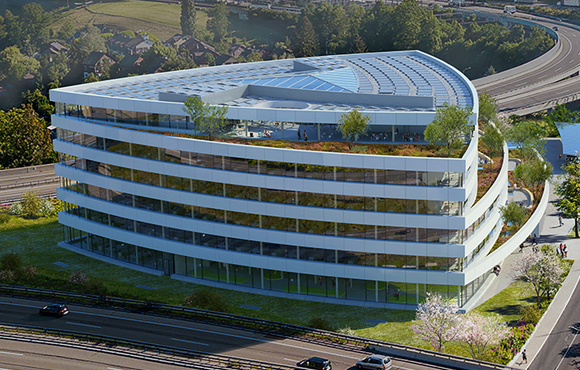
Landmark 2024

Spotlight 2024

Fundamentals 2024
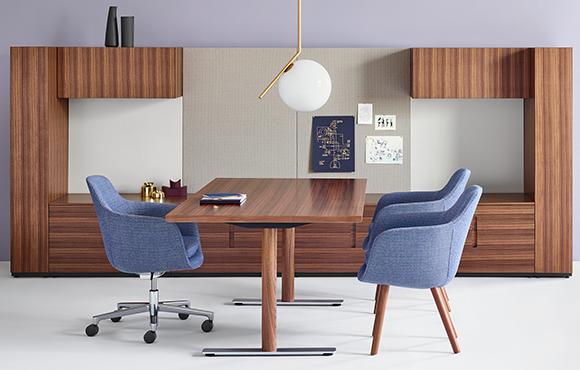
Vectorworks 2024 new features
click on image below to view the Vectorworks 2024 feature matrix
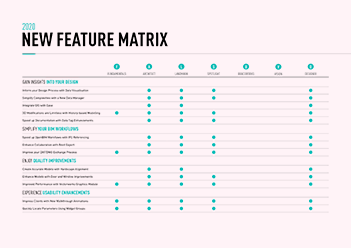
product features include ...
 |
 |
 |
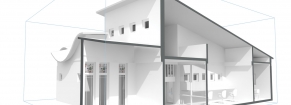
| Vectorworks Graphics Module | BIM That Works for You | Technology Interoperability |
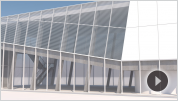
Vectorworks often utilise the best technologies available to deliver the design capabilities you need to travel down the path of discovery. And when the best doesn’t exist elsewhere, Vectorworks Inc., have build it ourselves. Vectorworks 2014 introduced you to the Vectorworks Graphics Module (VGM). And with Vectorworks 2024, 2024, the VGM brings the fun back to your modelling experience with great performance, stability, and unmatched graphical control. read more |
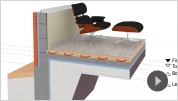
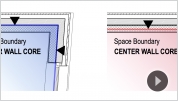
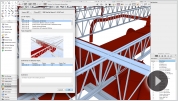
Vectorworks Architect provides powerful BIM solutions to fit your workflow and address your BIM needs, both big and little, as you experiment, become inspired, and design without limitations. read more |
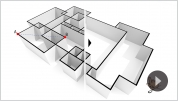
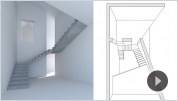
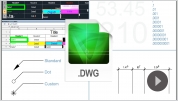
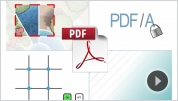
When it comes to BIM tools, no one matches Vectorworks’ ability to exchange data and geometry during your design process. We offer more choices to import and export your models, your drawings, and your data, giving you the freedom to collaborate with partners, regardless of their preferred technology, and explore ideas using many different tools. read more |
 |
 |
 |
| 3D Modellling and Rendering | Documentation and Graphics Improvements | Workflow Efficiency Gains |
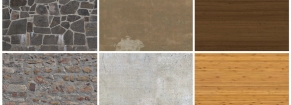
Whether adding artistic flair, creating a style, or refining a look, Renderworks 2021 has you covered. Get ready to turn anything you can imagine into an inspired, sharable realisation of your vision. read more |
For 2021, Vectorworks Inc., have extended 64-bit capabilities to the entire product line and delivered a revolutionary graphical experience through the Vectorworks Graphics Module. Better performance and enhanced stability, plus more than 100 updates and new features, are ready for you to discover. read more |
Vectorworks Inc., are constantly striving to improve your user experience. Therefore they have added tools and enhanced the capabilities of existing ones. By refining workflows to be intuitive and seamless, Vectorworks Inc., have also amplified the speed of navigation, drafting, and documentation. Vectorworks 2024 is more powerful, customisable, and agile than ever. read more |
 |
 |
 |
| Site Design Enhancements | Entertainment Design Enhancements | New Content and Mobile Apps |
Vectorworks Landmark software has long been recognised for its superior graphics capabilities and industry-focused tool sets for site design professionals. Vectorworks Inc., inherently understand that your design workflows and documentation styles are as unique and individual as your projects. Therefore striven to provide the best technological solutions along with the power, flexibility, and interactivity you want from your design software. read more |
Being a standard in this industry doesn’t mean they sit back and relax; instead, in their efforts to stay #1, they are always pushing to sharpen their product. Vectorworks Inc., gets some of their best ideas for improvements from you! read more |
You are receiving some great new material with 2021. Vectorworks Inc., have added a long list of new symbol and texture libraries just for you, as well as introduced new cloud functionality and a new cloud app called Vectorworks Remote! read more |



















System Recommendations
The following are real-world system recommendations for running Vectorworks 2024. In some demanding cases, we would suggest a more capable machine than is described by these recommendations. Likewise, there are some less demanding situations where Vectorworks will perform well on older hardware. The Vectorworks user experience is always improved by faster processors, faster graphics cards and adequate RAM.
| RAM: | (Entry-Level) 8GB or more, (Mid Level) 8GB-16GB or more (High-Level) 16GB-32GB or more |
| Hard drive space: | 10GB free disk space for installation, 30GB or more for full installation + libraries |
| Feature: Multiple View Panes | Using multiple view panes with different visibilities in all panes requires a graphics card with at least 2GB of VRAM, with 3GB or more recommended for large files |
| Graphics Card: | Vectorworks (Entry-Level): Vectorworks (Mid-Level): Vectorworks (High-Level): Vectorworks with Vision Pro: |
| Vision System Requirements | Vectorworks (Entry-Level): Vectorworks (Mid-Level): Vectorworks (High-Level): |
| Larger Sized Screen: | 1920x1080 1GB VRAM minimum, 2GB+ VRAM recommended for high-quality rendering |
| Operating System: |
Supported on macOS 14 (Sonoma), macOS 13 (Ventura), macOS 12 (Monterey) |
| Processor: | Vectorworks (Entry-Level): Vectorworks (Mid-Level): Vectorworks (High-Level): |
| Operating System: | Supported on Windows 11 and Windows 10 (64-bit) Not supported with Windows 8 (64-bit) or Windows 7 SP1 (64-bit) |
| Processor: | 64-bit Intel Core i5 (or AMD equivalent), 64-bit Intel Core i7 (or AMD equivalent) |
Vectorworks 2024 places higher demands on graphic hardware. The performance and quality of the graphics provided by the new Vectorworks Graphics Module depend directly on the speed, memory, and supported extensions of the graphics card. These new features have the potential to provide a very fast and fluid experience if used on capable hardware, or a noticeably slower experience if used on older or incompatible hardware. Starting with Vectorworks 2024 graphic cards should support at a minimum macOS: Metal GPU Family1 or later, Windows: DirectX 11 compatible. In summary: The more powerful your graphics card is, the better your Vectorworks experience will be.
Vectorworks 2024 Video Card Recommendations - Click here
order or info020 8940 4333
errors & omissions excepted
new licences
Vectorworks Fundamentals Vectorworks Architect Vectorworks Landmark
Vectorworks Spotlight Vectorworks Design Suite
Vectorworks Subscription (Rental)
Artlantis RT² Artlantis Media
Artlantis Tutorial Manuals Training DVD's On Site Training
SketchUp Pro SketchUp Training
form·Z form·Z RenderZone form·Z Training
Educational Pricing Special Offers Pre-Owned
upgrades
Fundamentals upgrades Architect upgrades Landmark upgrades
Spotlight upgrades Design Suite upgrades
Vectorworks Subscription (Rental)
Artlantis RT² Migration from Render or StudioSketchUp Pro upgrades
form·Z upgrades form·Z RenderZone upgrades
on the website we show only the most commonly requested new licence pricing if your requirements are not covered here please call faCADe
*prices and specifications subject to change without notice eligibility for reduced upgrade or subscription pricing dependent on ownership of qualifying existing licence and serial number all systems come with 90 days teletech support as standard terms and conditions apply
- faCADe Ltd
- Suite 102
- Diamond House
- 179-181 Lower Richmond Road
- Richmond
- Surrey
- TW9 4LN
- United Kingdom
- Company Registration Number 112 04876
- VAT Number GB 290 1527 15